How to Advertise on Google: A Step-by-Step Google Ads Guide
Opening a Google Ads account takes minutes; running a profitable campaign takes preparation. Here is how we advertise on Google, from account setup to ongoing optimization.


If you want to advertise on Google, you are buying a place in front of people at the exact moment they search for what you sell. That intent is what sets Google Ads apart from most online advertising: the search itself tells you what the customer needs, and your ad answers it.
Opening an account takes minutes. A profitable campaign, however, takes preparation. This guide walks through how we set up Google Ads for clients, from the first account settings to the reports we check every week.
How does advertising on Google work?
Google Ads runs an auction every time someone searches. Advertisers who bid on matching keywords are ranked in real time, but the bid is only part of the decision. Google also weighs how relevant your ad is to the search, how likely people are to click it, and how useful your landing page is. Together, these signals make up Quality Score.
As a result, the highest bidder does not always win. A tightly matched ad and a fast, focused landing page can reach the top positions with a lower bid.
What to prepare before you advertise on Google
Define the goal: sales, leads, phone calls or store visits. The campaign type and bid strategy follow from this choice.
Set up measurement: make sure Google Analytics 4 and Google Tag Manager record each conversion once and only once. Without reliable data, you cannot optimize anything.
Review the landing page: the promise in your ad should appear above the fold, and the page should load quickly on mobile.
Study the competition: search your main keywords and note how competitors position their offers. That shows you where to stand out.
How to advertise on Google, step by step
1. Create your Google Ads account
Sign up for Google Ads with your business email. During setup, Google may steer you into a simplified Smart campaign. We recommend switching to Expert Mode so you keep full control over targeting and bidding. Also note that the account currency and time zone cannot be changed later, so choose both carefully. The Google Ads Help Center covers every account setting in detail.
2. Set up conversion tracking
Next, tell Google Ads which actions matter to your business: purchases, form submissions or calls. You can import key events from GA4 or create conversions directly with the Google tag. In addition, enhanced conversions help recover measurement that cookie restrictions would otherwise lose.
3. Choose the right campaign type
Each campaign type serves a different goal:
| Campaign type | Where ads appear | Best for |
|---|---|---|
| Search | Google search results | Reaching people who are actively searching for your product or service |
| Performance Max | Search, YouTube, Display, Discover, Gmail, Maps | Scaling across all Google inventory once conversion data is solid |
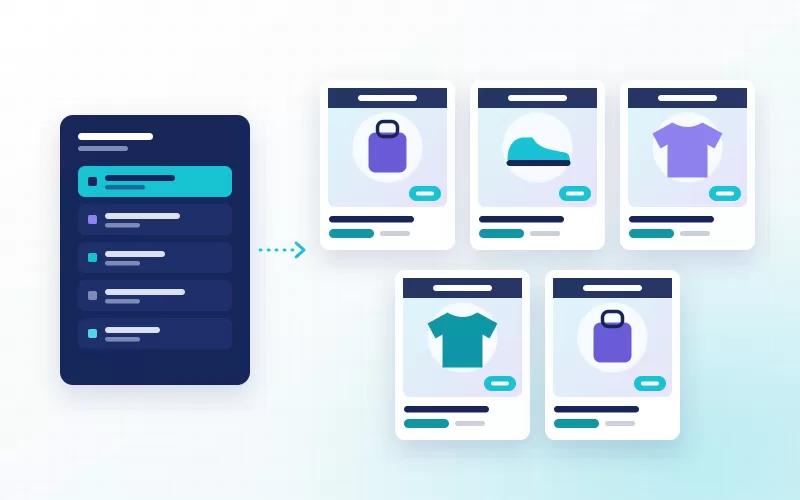
| Shopping | Shopping tab and product listings in search | Ecommerce stores with a product feed |
| Demand Gen | YouTube, Discover, Gmail | Creating demand among people who are not searching yet |
| Video | YouTube | Awareness and consideration |
For most businesses, Search campaigns are the right place to start, because intent is clear and results are easy to measure. Performance Max tends to work better after the account has collected enough conversions. For online stores, Shopping campaigns put product cards right in front of buyers.
4. Research and group your keywords
Start with the words your customers actually type. Keyword Planner gives you a sense of search frequency and competition. Then group keywords by theme into small ad groups, so that each group serves a single intent. The approach we describe in our keyword strategy work applies to paid search as well.
Broad match: reaches related searches too, and works best alongside Smart Bidding.
Phrase match: shows your ad on searches that include the meaning of your keyword.
Exact match: limits your ad to searches with the same meaning and gives you the most control.
Negative keywords matter just as much. For example, exclude searches such as "jobs", "free template" or "how to" when they do not signal buying intent.
5. Write ads that earn the click
Responsive search ads accept up to 15 headlines and 4 descriptions, and Google combines them to fit each search. Use the keyword, your main differentiator and a clear call to action in your headlines. Moreover, assets such as sitelinks, callouts and call assets make the ad larger and give people more reasons to click.
6. Pick a bid strategy
If the account has no conversion data yet, a strategy that focuses on clicks is a quick way to collect the first results. Once conversions build up, move to Maximize conversions, and later to target CPA or target ROAS. After any bid strategy change, give the system a few days to learn and avoid frequent edits during that period.
7. Set locations and languages
Target the areas you actually serve. In location options, choose people who are in or regularly in your targeted locations; this keeps budget away from users who are merely interested in the area. If you sell in several countries, build a separate campaign and landing page for each language.
After launch: measure and optimize
When you advertise on Google, launch day is the beginning rather than the finish line. These are the reports we review during the first weeks:
Search terms report: shows the searches that actually triggered your ads. Add irrelevant terms as negatives and promote strong ones to keywords.
Quality Score components: check whether expected CTR, ad relevance or landing page experience is holding you back, and fix that first.
Landing page tests: the cheapest way to get more conversions from the same traffic is a better page. Run A/B tests on headlines, forms and offers.
Device and time performance: see when and where conversions happen, then adjust bids if the difference is significant.
Common Google Ads mistakes
Launching without tracking: you will never know which keywords or ads drive results.
One ad group for everything: the ad fits no search well, and Quality Score drops.
Sending all traffic to the homepage: people have to search again to find what they wanted.
Skipping negative keywords: budget goes to searches with no buying intent.
Changing settings every day: Smart Bidding keeps resetting its learning, and results swing.
Online advertising beyond Google
Google is the largest intent-driven channel, but a sound online advertising plan rarely relies on one platform. Microsoft Advertising (Bing) reaches a different, often desktop-heavy audience, and Yandex Ads matters for Russian-speaking markets. To create demand before people search, YouTube, Demand Gen and social ads come into play. We explain how these channels fit together on our search engine advertising page.
Frequently asked questions
Do I need a website to advertise on Google?
Most campaign types require a landing page. Without a website, a Google Business Profile can still make you visible in local searches. However, measuring conversions and earning a good Quality Score both depend on a fast, clear landing page.
How long does it take for Google ads to go live?
Google reviews every ad against its advertising policies before it runs. Most reviews finish within one business day, although some industries require additional verification.
Should I run Google Ads myself or hire an agency?
A small business with a single product can start on its own. When measurement, several campaign types and continuous testing come into play, specialist support makes a clear difference. Our Google Ads management service covers tracking, account structure and weekly optimization. Contact us to review your account together.